January 28, 2014

Featured Valetine Finds

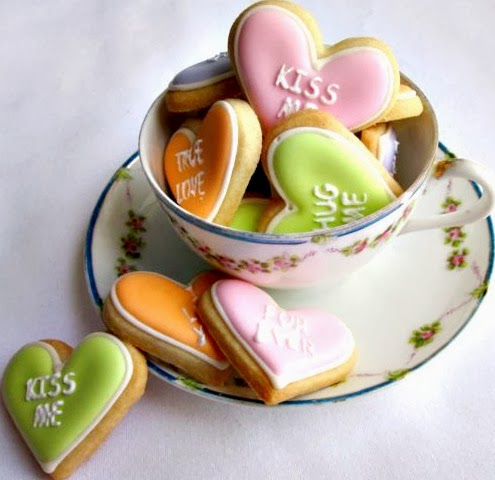
Valentines Day is right around the corner and who wouldn't love to get these? 
These shops are featured in my February E-newsletter. 

To request a copy, please visit my newsletter page. Click me.


Cute and creative 3-D Valentine


Sweet Conversation Cookies


Pretty Vintage Valentine


January 1, 2014

Giveaway

Winner!

Rayray Cartucc, you are the winner of Leafy Green Key Chain. Contact me at HollyByGollie@gmail.com to claim your prize. 


Thank you to everyone who entered!


Happy New Year!


This month I'm giving away this leafy green beaded purse charm. Clip to your purse's zipper, key ring, just about anything!

To enter, simply leave a comment about any plans, dreams, or hopes you have for 2014. Planning a summer getaway, changing  careers, new healthy lifestyle.... ? Winner will be announced on January 11.

November 29, 2013

Juggling Your Schedule

We're all busy and now with the holidays it's about to get busier. My system for getting things done has got to be simple and convenient or I won't stick to it.

Here are four easy tips to help manage your time.

Write it Down:
The older I get and the busier I get, the more I forget. I keep a small spiral notebook with me and I keep it simple. Having scraps of paper here and there gets lost, so this keep everything in one spot. Because if I don't write it down when I think of it...I'll forget. Plus it feels good to cross off those to-do's. I keep sections: "HBG" (HollyByGollie), "Grocery Shopping", "Notes", "Ideas", "Everything Else". It travels with me in my purse, to my day job and sits on my beading table so I can jot down what supplies I need to reorder.  If it can wait, put it at the bottom of the list.


Cooking:
The Crock-Pot is my best friend. It is probably one of the best investments I've made in my kitchen. I'm up at 4:30 during the week and before I leave for my day job, that night's dinner goes into the crock-pot. There are thousands of recipes on the internet. When it comes to my lunch, I eat the same thing each day... pretty much. On Monday I take my lunch for the entire week in a lunch sack. I bring a bag or two of salad, tomatoes, avocados, dressing and a bag of frozen precooked chicken I keep in the office fridge/freezer. I assemble my salad each day and I don't have to scramble each morning to figure out what I'm going take for lunch. I also keep a few cans of soup and crackers at the office.

Cleaning:
I hate cleaning, who doesn't? My house is not spotless or well organized. We have busy lives and I do the best I can. But I like the house to look at least half way decent. I've discovered it's easier to clean as I go rather than doing it all on Saturday. I keep a small refillable spray bottle full of Windex Multipurpose cleaner. Each morning when I'm done in the bathroom I spray down the counter and sink and wipe it down with the washcloth I used earlier then throw it in the hamper. I also keep a bottle in the kitchen. Speaking of the kitchen, if there are dishes in the sink I will wash whatever I have time to do before I leave for work and finish up later. Every little bit helps.

Email:
Some experts say only check email twice a day, morning and afternoon. That doesn't work for me. Email is my primary communication. However, things that can wait but do need to be addressed I mark with a red star (depending on your email program) or mark as "unread".  Stop saving those emails that you won't use within the next two weeks: Offers, updates, etc. Experts will also tell you to save emails you want to read for a later date. I find if I haven't read it within two weeks, I'm probably not going to.

These are just four areas of our lives, there are many many more, but this is a good start.

October 29, 2013

Tips to Protect Yourself Online

During this time of year we do a lot of online shopping. Below are some tips to keep you safe.
Change your password every three months. Use upper and lower case letters, 
symbols, sentences and/or numbers. Example: ILoveToTravel%5236.  Never use the same password for all of your websites that require one.   
Are you giving them your password?: A lot of us use online banking, instead of typing in your user name and password on the bank's log-in page (or any website for that matter) first type them in a Word document then cut and paste them into your user/password field. There are viruses that can now recognize key strokes.  If you receive an email from your bank with a link. DO NOT click on the link, rather open up a new tab in your browser and type in your bank's URL.
Email Recovery: Many web-based email programs (Yahoo, Gmail, etc.) offer a recovery option. This is a secondary email or your cell phone. If someone were to hack your account and change the password, an email will be sent to your secondary email account or cell phone altering you of the change. Or, if you simply forget your password you can use this option. You can find this in your account settings of your email program. 

Links within an Email: You'll receive an email from someone you know and it will have a link. Usually the email will look odd, either it will have only a link and nothing else, or some type of sales pitch. If in doubt, don't click on it. Call your friend to make sure. And also worth mentioning, especially if you receive an email from someone you do not know, never, never click on the link.
Online Purchases: Never use your debit card to make purchases online, always use your credit card.
Phishing Scams: Beware of phishing emails, which appear to come from your bank, school, or other legitimate business, but are fraudulent and might contain harmful links or attempt to get you to divulge personal information. Do not click links within the email. Go directly to the site and research the problem. If you determine it is fraud, notify the site.